
Origin network
Let Loclix choose which edge connects to your origin.
Origin network lets Loclix forward a request through another edge before connecting to your origin. It chooses the origin-facing edge using connection latency measurements.
Use it when your visitors and origin are in different regions. Your visitors keep their connection to the edge that received the request.
Enable origin network
- Open your website's Configuration page.
- Enable Select origin egress automatically.
- Select Save changes.
If the setting cannot be enabled, contact Loclix support with the setup message.
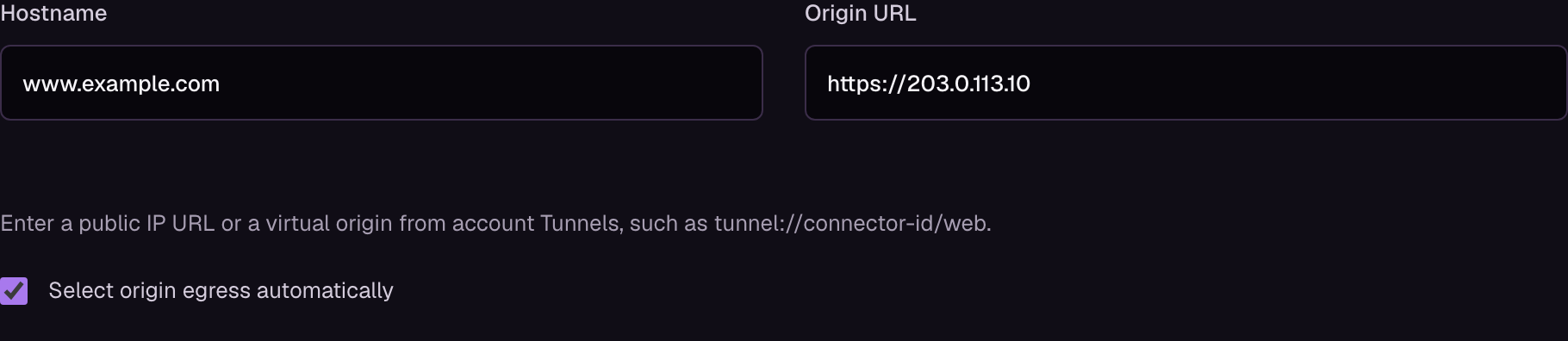
Example configuration. Select the image to view it at full size.
The setting applies to the website's default origin and custom origin pools. Tunnels already use automatic edge selection for their connector connections.
Request path

The ingress edge receives the visitor's request and applies security rules, access policies, and cache settings. If the request needs your origin, Loclix selects an egress edge to connect to it. Traffic between these edges is encrypted.
For example, a visitor in New York may connect to a New York edge while a Nuremberg edge fetches the response from an origin in Frankfurt. The response returns through the New York edge.
The same edge can handle both roles. Selection follows measured connection latency, so it can change as network conditions change.
Origin connections
Your routes and load-balancing settings still determine which origin receives each request. Origin network chooses the edge that connects to that origin. Different origins in a pool can use different edges.
Your origin's HTTP or HTTPS setting still applies. Use Strict HTTPS to encrypt and verify the connection to your server.
Connection failures
New requests can use another eligible edge if the selected edge becomes unavailable. A request already sent to your origin is not replayed through another edge. Interrupted requests and WebSocket connections need to reconnect.
If no eligible edge can reach the destination, the request fails. Check your origin's availability and use the request ID when contacting support.
Origin analytics shows response times and errors. For requests forwarded through another edge, individual origin connection timings may be unavailable.