
Routes
Send website paths to different origins and distribute requests across servers.
Network overview
Open Network > Routes for your website. The overview lists saved origin routes, tunnel routes, and the default origin pool.
Search by path, route name, destination, or tunnel name. Use Route type to filter the list. Edit route opens an origin route; Manage tunnel opens its tunnel configuration.
Route status shows whether a route is configured and enabled. Origin health appears in the traffic diagram.
Route setup
- Select Add route in Network > Routes.
- Enter the Visitor path, such as
/api. - Select the Match type.
- Enter each destination Origin URL.
- Select Save changes.
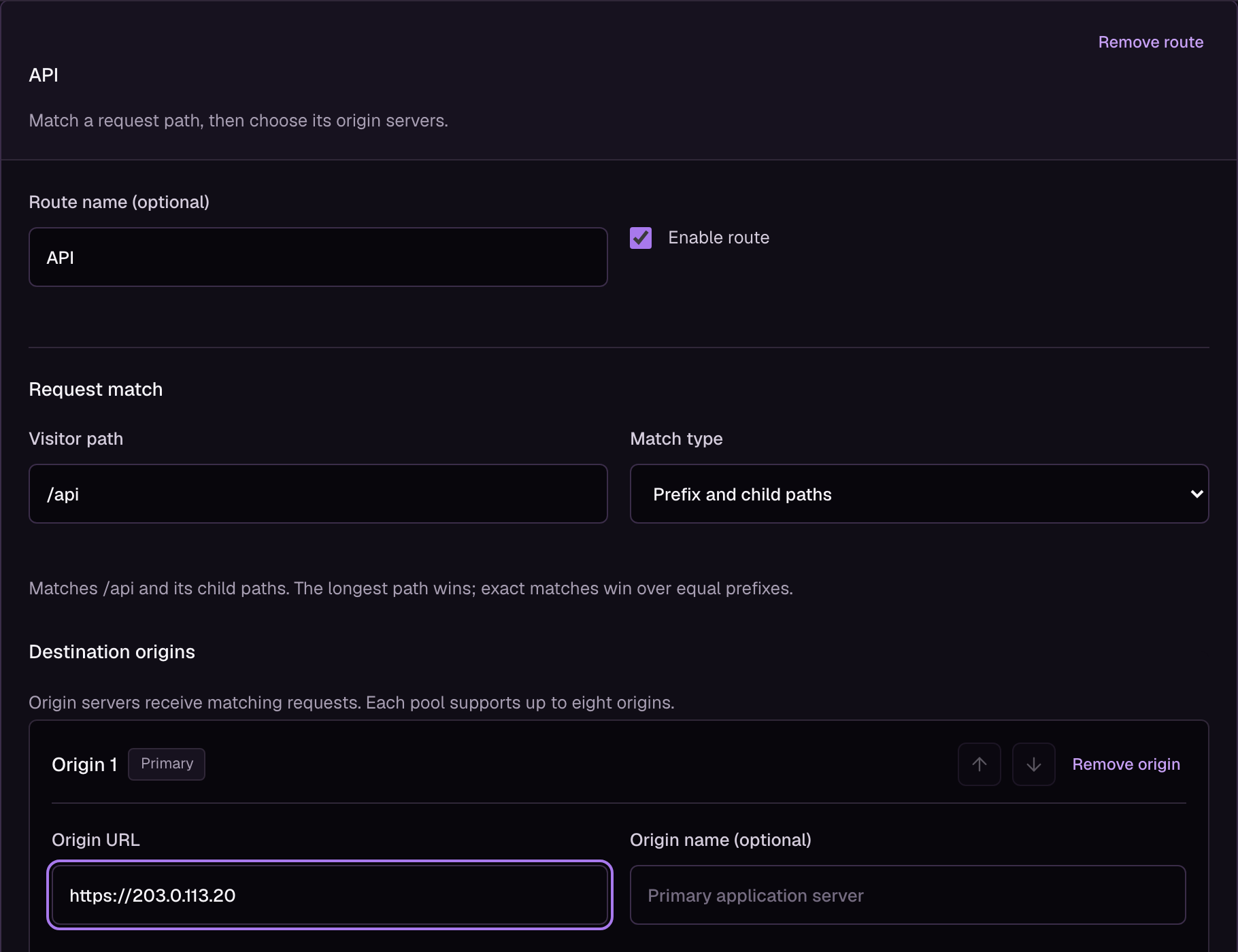
Example configuration. Select the image to view it at full size.
You can configure up to 24 custom routes and eight origins per pool. All origins use the website's HTTP or HTTPS scheme and TLS settings.
The Default origin pool handles paths that do not match a custom route. If that pool is empty, requests use the website's origin address.
Traffic distribution
| Method | Behavior |
|---|---|
| Weighted round robin | Distributes requests across healthy origins in proportion to their weights. |
| Primary / secondary order | Uses the first healthy primary origin. The arrow buttons change priority. |
Standby origins receive requests when no primary origin is available. Weights do not apply to primary / secondary order.
Set Session pin duration to keep a session on an origin. Use 0 to disable pinning, or a duration from 60 to 604800 seconds. Cache hits do not need origin selection.
The diagram's percentages are configured shares. Health changes and session pinning can change the actual distribution.
Path matching
A prefix of /api matches /api and /api/orders, but not /apiculture. The longest matching path wins. An exact match wins over a prefix of the same length.
Tunnel routes take precedence over origin routes. If a matched origin pool has no healthy server, Loclix returns HTTP 503 instead of using the default pool.
Rewrites
Expand Path rewrite when your origin expects a different path. You can preserve the URI, replace a prefix, or replace the entire URI.
For example, replacing /api with /v2 sends /api/orders?limit=10 to /v2/orders?limit=10.
Example request previews the resulting path without sending a request. Prefix replacement preserves child paths and query strings. A complete replacement keeps the visitor's query unless the replacement supplies one or ends with ?.
Select Preserve visitor URI to remove a rewrite.
Health and retries
Expand Origin checks and recovery to set active checks, failover thresholds, and cooldowns. Active checks require successful probes before an origin receives traffic. With active checks disabled, the origin becomes eligible after its cooldown.
Transport errors and HTTP 5xx responses can trigger failover. Health is evaluated separately at each edge. Loclix does not replay writes, requests with bodies, upgrades, or requests that received an origin HTTP error response.
Private routes
Zero Trust checks the public path before a rewrite. Every direct origin for a protected application must use verified HTTPS. At the origin, compare the assertion's origin_uri with the final request URI.
Origin network lets Loclix choose which edge connects to each origin.